Open-source intelligence (OSINT) exercise to practice mining and analyzing public data to produce meaningful intel when investigating external threats as a security blue team analyst.
https://cyberdefenders.org/blueteam-ctf-challenges/intel101/
We aren’t going to get much from the scenario because this threat intel lab is mainly about knowing just how to search, how to use Google Dorking, and being familiar with the Wayback Machine (archive.org).
So, before we start with the questions, let me tell you about the Wayback Machine and Google Dorking. If you already know them, you can skip this part.
The Wayback Machine is a digital archive of the internet maintained by the Internet Archive. It allows users to view archived versions of websites as they appeared at different points in time. It is widely used for research, recovering lost content, and investigating website changes.
Google Dorking uses advanced search operators in Google to find specific information efficiently. It’s also used to uncover information, often not intended to be publicly accessible. It’s commonly used for finding vulnerabilities, exposed sensitive data, or misconfigured files by querying for file types, intext keywords, site-specific data, and more.
site: Restrict search results to a specific website or domain.
filetype: Search for a file by its extension (e.g., PDF).
cache: View Google’s cached version of a specified URL.
intitle: The specified phrase must appear in the title of the page.
inurl: The specified phrase must appear in the URL of the page.
#There’s still more, but you get the point!
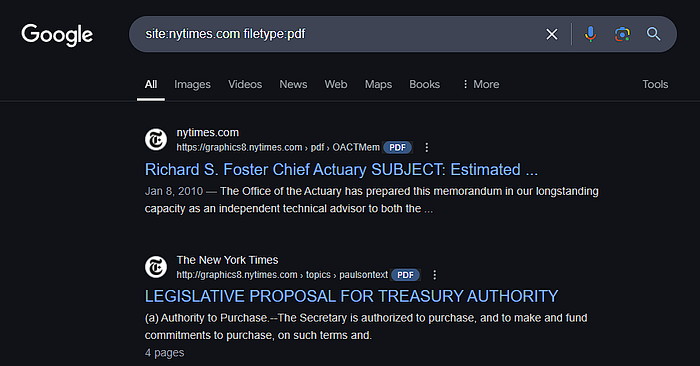
Example: The query site:nytimes.com filetype:pdf
will return PDF files hosted on the nytimes.com website.
If you would like to know more about Google Dorking, you can take a look at this free TryHackMe room: https://tryhackme.com/r/room/googledorking