Pagefile.sys (Windows)
Pagefile.sys is a hidden system file in Windows used to support virtual memory. When the system’s physical RAM becomes full, less frequently accessed memory pages are moved (paged out) to this file, freeing up RAM for active tasks.

- Located at the root of the system drive (typically
C:\\).
- The configuration related to the page file can be found in the location
Computer\\HKEY_LOCAL_MACHINE\\SYSTEM\\CurrentControlSet\\Control\\Session Manager\\Memory Management within the SYSTEM Hive

- It is a contiguous file, allowing faster read/write than fragmented disk data.
- Acts as an overflow area for RAM, helping prevent crashes and performance drops.
Functionality
- Enables Windows to offload idle data from RAM.
- Acts as a fail-safe during crashes some crash dumps (like complete memory dumps) require an active page file.
- Windows automatically manages the size of the page file, though it can be manually configured.
For DFIR/SOC:
- Forensics Value: Contains fragments of past memory data including:
- Command-line arguments
- Residual credentials
- Potential malware artifacts
- Use tools like Volatility, X-Ways, or FTK Imager to parse artifacts from it.
- Always consider acquiring the page file during disk imaging.
Extracting using FTK Imager

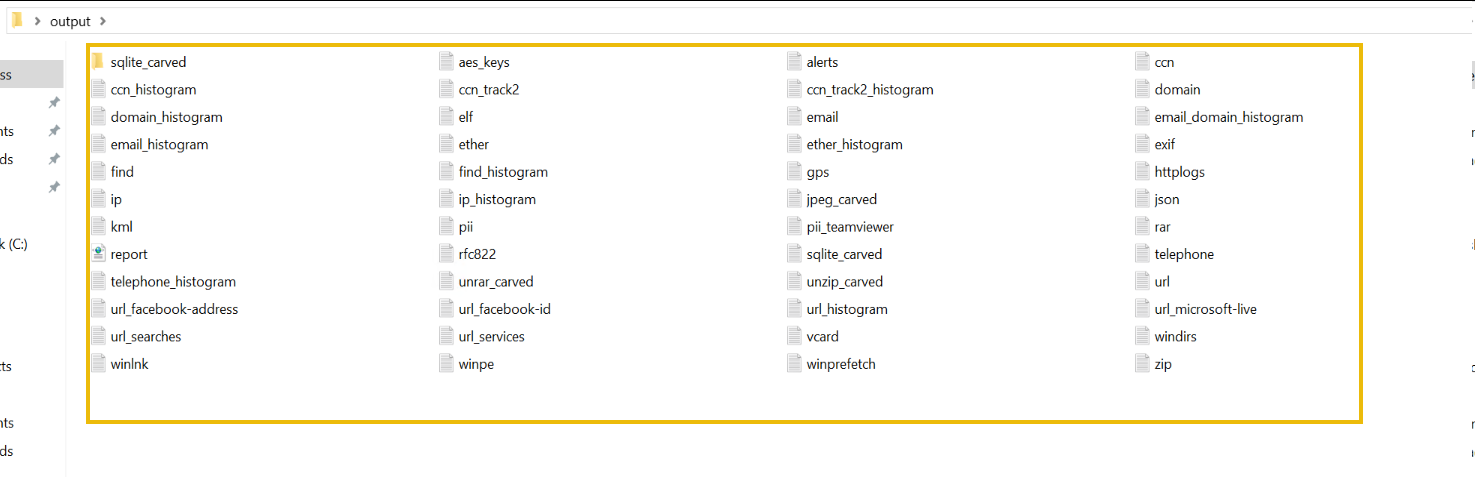
The output folder shows the files extracted from the pagefile below.